

Keeping Research Data Organised: Good Habits from the Start
— by Chloe Ng
As research projects grow in size, it is not uncommon for researchers to find themselves lost within their own project folders. Many have experienced the frustration of struggling to locate the exact data files they were working with, or trying to distinguish between multiple versions of the same dataset based on inconsistent file names. Hence, it is important to keep data organised from the beginning of the research. This blog post introduces good practices for formatting data, naming files clearly, setting up folder structures, and keeping track of different data versions.
File formats
Research data collected can come in different forms, including texts, numerical data, multimedia, codes, etc. Yet, not all formats are equally suitable for preservation (UK Data Service, 2026a). Non-digital data are often converted to the digital format for easy management and sharing. Transcription, which refers to converting data from one form to another, can further enhance the reuse potential of research data (UK Data Service, 2026b). A common example is the conversion of audio recordings of interviews into text format, enabling text-based searching and analysis.

Open formats are preferred over proprietary formats for long-term preservation (UK Data Service, 2026a). For proprietary formats owned by commercial companies, there is a risk that the formats will become obsolete over time, making the data impossible to read and interpret. Although they are convenient for data processing and analysis, researchers can also retain copies of the data in alternative formats for archival and long‑term preservation. Open and non‑proprietary formats, such as CSV, OpenDocument Format (ODF), TIFF, and XML, are preferred, as are widely used software products such as Microsoft Office or SPSS. UK Data Service provides a list of recommended file formats for different types of research data.
Version control
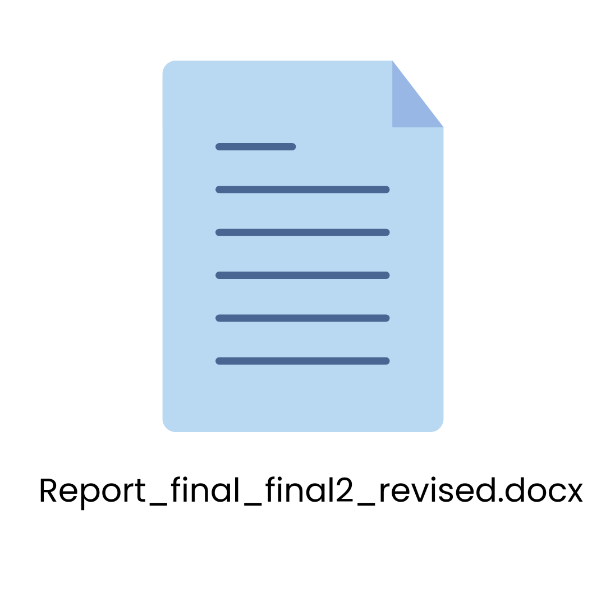
Version control helps to track changes to data files over time. Researchers should identify and retain milestone versions only, and use a systematic naming convention to distinguish between versions, such as sequential numbering (v01, v02, v03) or dates (UK Data Service, 2026c). Ambiguous labels like “revision”, “final”, or “final2” should be avoided, because more than often further revision is required after naming a file as “final”.
File naming
A well-designed naming convention makes files easier to locate and track over time. Good file names should follow the practices below (Briney, 2020; Stanford University Libraries, 2023):
- Select 3 to 5 important elements for file names, yet make each file distinct
- Plan file names around how the files will be sorted and searched, and place key information at the beginning of the file name
- For sequential numbering, use leading zeros to ensure files can be sorted correctly
- Set the date in a consistent format e.g., YYYYMMDD
- Use hyphens (-) or underscores (_) instead of spaces
- Avoid special characters (e.g., @ # ? ! & % $ * : ; , ^ “ ( ), etc.)
- Include versioning within file names
- Keep file names short, ideally not more than 32 characters
Different naming conventions can be applied to different file sets. The naming conventions shall be documented separately, for example in a README.txt file, so that all research team members can follow the same standard.
Folder structure
Organising data in hierarchical folders helps both researchers and collaborators quickly navigate the dataset and understand the relationships between files. To facilitate navigation of data items, study advised researchers not to store more than 21 items per folder, and to create additional layers of subfolders instead (Bergman et al., 2010). Like file names, folder names should be descriptive and consistent, and a README file would be useful in explaining the directory structure and contents of the folders to data users (Harvard Biomedical Data Management, 2026).
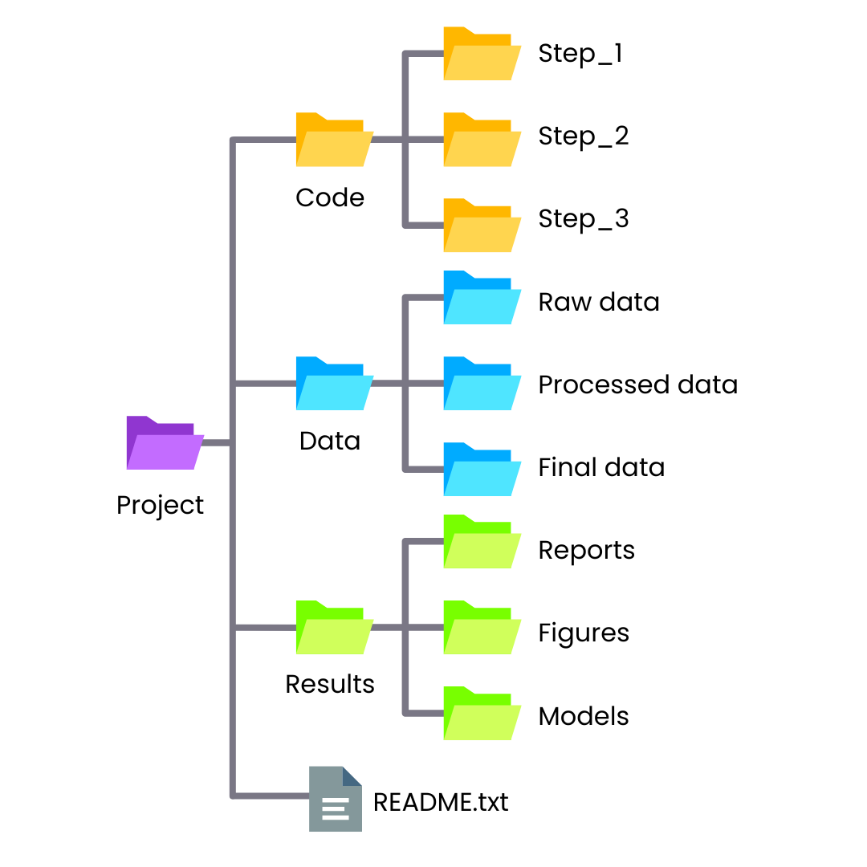
Planning data organisation at the beginning of a research project can prevent confusion and unnecessary rework later. Simple practices such as appropriate file formats, clear file naming, structured folders, and consistent version control help keep research data manageable.
Extended readings:
References
Bergman, O., Whittaker, S., Sanderson, M., Nachmias, R., & Ramamoorthy, A. (2010). The effect of folder structure on personal file navigation. Journal of the American Society for Information Science and Technology, 61(12), 2426–2441. https://doi.org/10.1002/asi.21415
Briney, K. A. (2020). File Naming Convention Worksheet. California Institute of Technology. https://doi.org/10.7907/894q-zr22
Harvard Biomedical Data Management. (2026). Directory Structure. Retrieved 19 March 2026 from https://datamanagement.hms.harvard.edu/plan-design/directory-structure
Stanford University Libraries. (2023). Data best practices and case studies. https://guides.library.stanford.edu/data-best-practices
UK Data Service. (2026a). Formatting data: File formats. Retrieved 19 March 2026 from https://ukdataservice.ac.uk/learning-hub/research-data-management/format-your-data/file-formats/
UK Data Service. (2026b). Formatting data: Transcription. Retrieved 19 March 2026 from https://ukdataservice.ac.uk/learning-hub/research-data-management/format-your-data/transcription/
UK Data Service. (2026c). Formatting data: Versioning. Retrieved 19 March 2026 from https://ukdataservice.ac.uk/learning-hub/research-data-management/format-your-data/versioning/
Declaration of Generative AI use
I acknowledge the use of Generative AI tools in writing this post. I used:
- Microsoft Copilot to paraphrase text, generate Figure 1, draft the concluding paragraph and refine the language.
I declare that I reviewed and edited the contents as needed, and take full responsibility for the content of the post; And the information provided is complete and accurate.