
From RCSB PDB to Blender: Creating 3D Models and Animations for Structural Biology
— by Wilson Tang
Structural biology becomes easier to understand when biological molecules are viewed as three-dimensional objects rather than as flat textbook diagrams. The Research Collaboratory for Structural Bioinformatics Protein Data Bank (RCSB PDB) provides browser-based access to experimentally determined three-dimensional biomolecular structures and offers tools for exploration, visualisation, analysis, and download [1].
For researchers, educators, and science communicators, RCSB PDB structures can also be a useful starting point for creating clearer visual materials in Blender. With molecular visualisation add-ons such as Molecular Nodes, PDB and mmCIF structure files can be imported into Blender and developed into still images, teaching visuals, or animations [3,4].
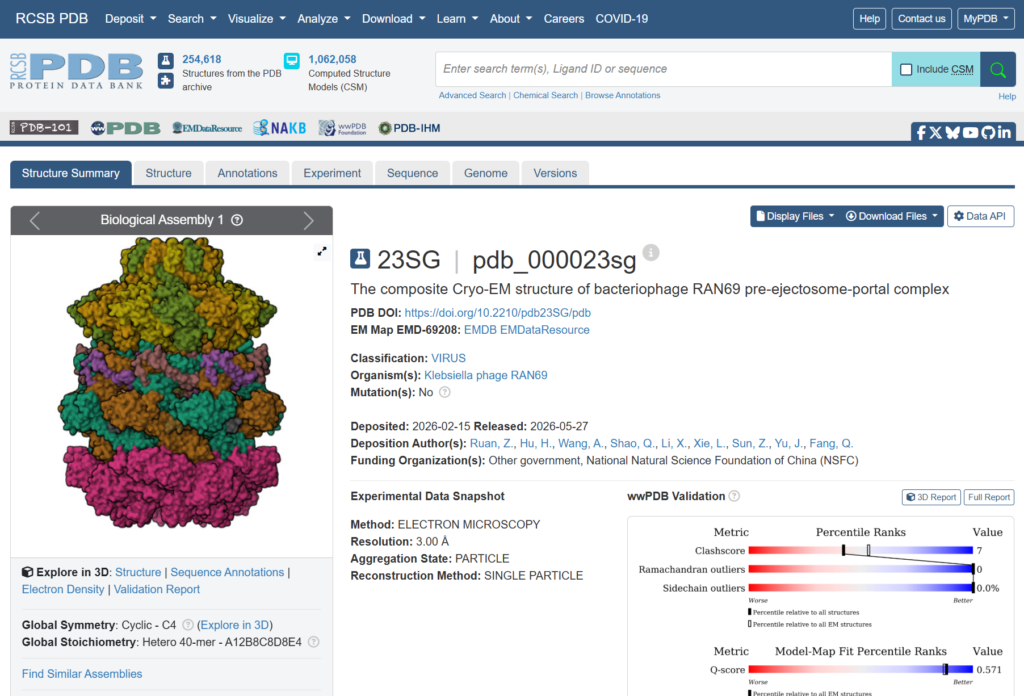
What is the RCSB Protein Data Bank?
The RCSB Protein Data Bank is a major public resource for three-dimensional structural data on biological macromolecules. Users can search for structures by molecule name, sequence, organism, ligand, or other features, then inspect selected entries through integrated visualisation tools [1,2].
This is useful because structure can explain features that sequence or functional descriptions alone may not show clearly. A protein’s activity may depend on its conformation, active site, or interaction with another molecule. By examining a structure in RCSB PDB, users can identify the features that are most relevant for teaching, research discussion, or visual communication.
Why use Blender for molecular visualisation?
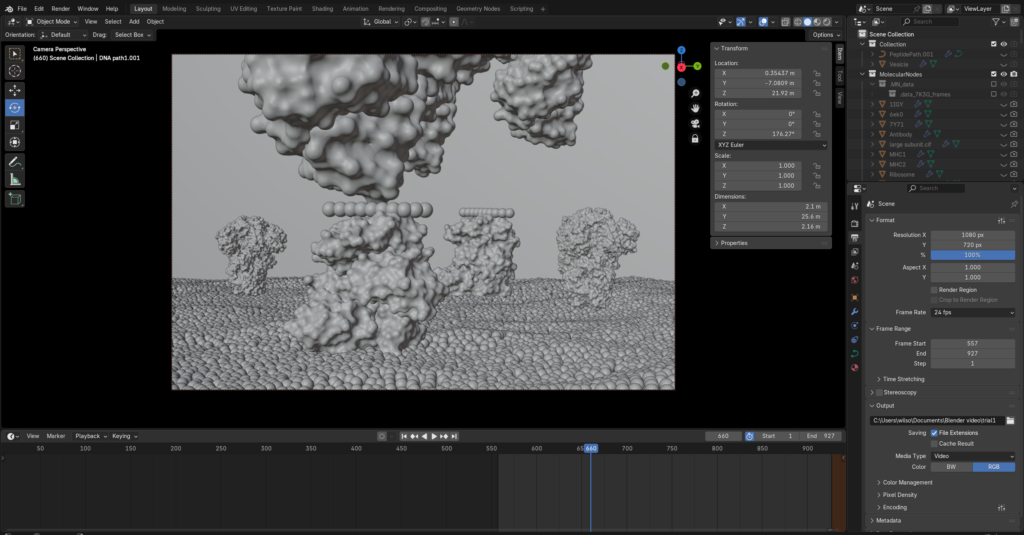
Database viewers are useful for inspection, but they are not always designed for polished communication outputs. Blender is a free and open-source 3D creation tool that supports modelling, lighting, shading, animation, and rendering [3]. These functions make it suitable for turning molecular structures into clearer and more visually engaging images.
Molecular Nodes extends Blender for structural biology workflows. It supports the import of molecular data formats such as PDB and mmCIF and allows users to work with molecular structures through Blender’s Geometry Nodes system [4,5]. This helps users present structural data in ways that can be adjusted for different audiences and communication goals.
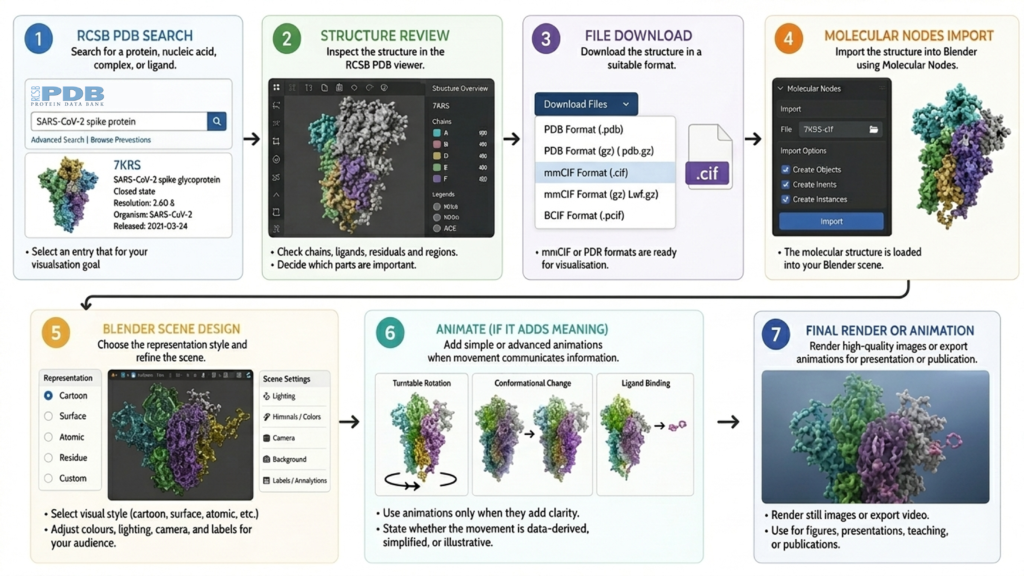
A typical workflow from RCSB PDB to Blender
A practical workflow can be organised into the following steps:
- Search and select a structure in RCSB PDB. Start by searching for the protein, nucleic acid, complex, or ligand of interest. Check whether the entry fits the purpose of the visual, such as showing a complete model, a ligand-bound state, a multimeric assembly, or a specific conformation.
- Review the structure before downloading. Use the RCSB PDB viewer and structure summary to inspect the entry. Decide which chains, ligands, residues, or regions are important for the intended message.
- Download the structure file. Download the entry in a suitable format, such as PDB or mmCIF. These formats can then be reused in a molecular visualisation workflow [1,4].
- Import the file into Blender. Use Molecular Nodes to import the molecular structure into Blender. Once imported, the molecule can be displayed and adjusted inside a full 3D scene [4,5].
- Choose the representation style. Select a visual style based on the communication goal. Cartoon views can highlight helices and sheets, surface views can show overall shape or binding pockets, and atomic or residue-level views can draw attention to selected interactions.
- Design the scene for the audience. Adjust colours, labels, lighting, camera angle, and background. A teaching image may need a simplified structure, while a research figure may require more detail and specific molecular features.
- Animate only when movement adds meaning. Simple animations may include a rotating turntable of the structure. More advanced animations may illustrate ligand binding, conformational change, or complex assembly. Users should make clear whether the movement is data-derived, simplified, or illustrative.
What can 3D modelling add to structural biology communication?
The main value of 3D modelling is that it helps structural data become part of a clear visual story. A molecule can be lit, coloured, rotated, simplified, or isolated to emphasise the biological feature that matters most. This can be useful in teaching, where complex structures often need to be made easier to understand, and in research presentations, where a well-designed figure can communicate molecular relationships more clearly than a basic database screenshot.
It can also support public communication. Molecular science is often difficult for non-specialists because the scale is unfamiliar and the subject is abstract. A carefully designed 3D model can make an enzyme, receptor, viral protein, or molecular complex feel more understandable by showing it as a physical object with form, depth, and, when appropriate, movement.
Points to consider before creating a model
Molecular visualisation always involves interpretation. A structure from RCSB PDB may be incomplete, may represent one experimental condition, or may include details that are not needed for the intended audience. Before creating a model, users should decide what to retain, what to simplify, and what to highlight.
Accuracy and clarity should be balanced. A highly detailed representation may be scientifically rich, but it may not be the clearest option for a teaching or outreach audience. A simplified model may communicate the key idea more effectively, provided that the simplification is not misleading.
Conclusion
RCSB PDB provides a reliable starting point for exploring biomolecular structures, and Blender provides a flexible environment for turning those structures into visual models and animations. Used together, they offer a practical workflow for structural biology communication in teaching, research presentations, and public engagement.
Extended Readings
- Creating Video Abstracts with AI Tools
- How HKU Medical Research Travelled the World: Attention, Policy Uptake, and Clinical Practice
References
[1] RCSB Protein Data Bank. (n.d.). RCSB PDB: Homepage. https://www.rcsb.org/
[2] RCSB Protein Data Bank. (n.d.). 3D View. https://www.rcsb.org/3d-view
[3] Blender Foundation. (n.d.). Blender. https://www.blender.org/
[4] Blender Extensions. (n.d.). Molecular Nodes. https://extensions.blender.org/add-ons/molecularnodes/
[5] Johnston, B. A. (n.d.). Molecular Nodes documentation. https://bradyajohnston.github.io/MolecularNodes/
Declaration of Generative AI use
I acknowledge the use of Generative AI tools in writing this post.
I used:
I declare that I reviewed and edited the contents as needed, and take full responsibility for the content of the post; And the information provided is complete and accurate.